


We are living in a time where the market is filled with tech promises, and searching for a video collaboration solution that is both a perfect fit and delivers can feel stressful. Limitless devices claim to deliver clear meetings and flawless teamwork, but when it comes to real-world performance, many devices simply fall short.
So hybrid work needs more flawless connections that define success; you don’t need another gadget, you need a tool that works as hard as you do. That’s where Yealink’s all-in-one MeetingBars step in: the Yealink MeetingBar A50 and Yealink MeetingBar A40.
Both are engineered for Microsoft Teams and Zoom Rooms, designed to simplify setup, enhance collaboration, and bring life back to your meetings.
If you are tired between the two, you are not alone in this confusion, and you are in the right place. This guide breaks down everything, starting from smart features and room compatibility to performance differences, helping you choose the perfect fit for your workflow.
Spoiler Alert:
Both are exceptional, but one has a clear edge for larger meeting spaces. Discover which one it is and why professionals across the USA trust Spoglink, the best online store for Yalink video bars, to bring them unshakable collaboration at unbeatable value.
At Spoglink, we’re not just resellers—we’re Yealink experts. We carry the full range of Yealink collaboration bars, including:
- Yealink A40.
- Yealink A50.
What is a Yealink MeetingBar Anyway?
Well, before we get into the Yealink A40 vs A50, let’s quickly understand what a MeetingBar is. MeetingBars are all-in-one video conferencing solutions made of combine cameras, microphones, speakers, and Android-based collaboration software into a single gadget. Usually, when this device is used, there is no need for an external PC, no tangled cables, and no difficult setup fuss; it’s just plug, mount, and meet the system.
Yealink MeetingBar A40 – Compact Power for Medium Rooms
The Yealink MeetingBar A40 is designed for medium-sized rooms. It features dual 8MP cameras and an ultra-wide 133° field of view, perfect for smaller teams who want a face-to-face, easy coverage without being in the same room.
Key Features:
- Dual-eye 8MP camera with AI-powered auto-framing.
- Speaker tracking and presenter tracking as well.
- 8 MEMS microphone arrangement with Yealink Noise Proof and AI noise cancellation.
- Dual screen support.
- Native Microsoft Teams and Zoom experience.
- Optional touch panel (CTP18) for interactive meetings.
Best For:
This product is an ideal choice for startups, creative teams, or mid-size departments where clarity, collaboration, and quick plug-and-play are vital.
If your team thrives on smooth communication and high-quality visuals, investing in the right collaboration tool can transform every meeting. Explore Yealink’s range of collaboration bars at Spoglink — where performance meets simplicity, and every product is backed by a U.S. warranty and expert support.
Yealink MeetingBar A50 – High Performance for Larger Spaces
Pushing up the performance scale, the Yealink MeetingBar A50 is developed for large meeting rooms and boardrooms, and conference rooms. While it shares much of A40’s hereditary material, it steps up with dual 20MP cameras and a stronger microphone and speaker system, making it an excellent choice for big teams, long meetings, and big ideas.
Key Features:
- Dual 20MP cameras with panoramic and telephoto lenses.
- Intelligent framing with speaker and presenter tracking.
- 8 MEMS mic display + advanced voice pickup algorithms.
- Wide-angle + zoom capabilities for large room coverage.
- Native Microsoft Teams/Zoom.
- Optional wireless content sharing (WPP30).
Best For:
It is the best pick for enterprises, executive boardrooms, and hybrid meetings involving in-person and remote attendees.
Yealink A40 vs A50 – Spec Comparison Table
| Feature | Yealink A40 | Yealink A50 |
| Camera | Dual 8MP | Dual 20MP |
| Field of View | 133° Ultra-Wide | 120° Wide + Telephoto |
| Room Size | Medium | Large |
| Microphones | 8 MEMS Mic Array | 8 MEMS Mic Array + enhanced AI |
| Display Support | Dual Display | Dual Display |
| Tracking Features | Auto-Framing, Speaker Tracking | Auto-Framing, Presenter Tracking |
| Audio Tech | Yealink Noise Proof + AI | Advanced AI Noise Cancellation |
| Deployment | Plug-and-Play | Plug-and-Play |
| Content Sharing | Optional WPP30 | Optional WPP30 |
Choosing the suitable video conferencing system can make all the difference between a good meeting and a great one. Whether your space demands the versatility of the Yealink A40 or the power-packed performance of the A50, both ensure professional-grade collaboration with minimal setup.
👉 Explore Spoglink’s collection of Yealink video conferencing systems to find the perfect match for your meeting room, a trusted, certified, and built for the modern hybrid workspace.
What’s Similar between Yealink MeetingBar A50 vs A40?
Despite their differences, both the MeetingBar A50 and MeetingBar A40 share core Yealink DNA:
- Flawless Microsoft Teams & Zoom integration.
- Crystal-clear audio with full-duplex speakers.
- Auto-framing and voice tracking.
- Dual screen support for better collaboration.
- Plug-and-play setup (no extra PC required).
- Compatibility with Yealink accessories like the CTP18 touch panel and WPP30 wireless presentation pod.
Environment Yealink A40 Is Suitable For:
If your workspace is a small to medium-sized meeting room where clarity and efficiency matter most, the MeetingBar Yealink A40-031 delivers everything you need in one sleek package. With dual 8MP cameras, intelligent framing, and plug-and-play simplicity, it’s built to make hybrid collaboration effortless.
👉 Buy the Yealink MeetingBar A40 at Spoglink — your trusted destination in the U.S. for genuine Yealink products and fast, reliable shipping.
What Else Sets the A50 Apart?
Let’s be real for a moment, specs don’t lie. The Yealink MeetingBar A50 is simply a more powerful and stable option than the Yealink MeetingBar A50 vs A40. Its dual 20MP camera system makes it a beast for large spaces, delivering clear details even when people are sitting far from the device.
The A50 also uses advanced tracking algorithms, meaning it doesn’t just follow noise but it understands who the speaker is and intelligently frames them, even in larger gatherings.
If your team frequently hosts executive-level or hybrid meetings, the MeetingBar A50 guarantees everyone, whether remote or in-person, is heard and seen clearly.
Environment Yealink A50 Is Suitable For:
Handling larger rooms or board-level meetings? The MeetingBar Yealink A50 takes conferencing up a notch with its dual 20MP lenses, presenter tracking, and advanced AI audio technology. It’s designed to make every voice clear and every face visible — no matter where they sit.
👉 Shop the Yealink MeetingBar A50 at Spoglink and experience next-level video collaboration that meets enterprise standards.
Still Unsure? Here’s How to Decide
- Go with the MeetingBar A40 if:
- Your room fits 6–12 people
- You want a fast setup without high-end specs
- Budget matters, but quality still counts
- Your room fits 6–12 people
- Go with the MeetingBar A50 if:
- Your space fits 12+ people
- You want high-resolution tracking cameras
- You’re focused on a premium hybrid meeting experience
- Your space fits 12+ people
Why Buy Yealink MeetingBars from Spoglink?
At Spoglink, we don’t just resell; we’re Yealink experts. We carry the full range of Yealink collaboration bars, including:
- Yealink A40.
- Yealink A50.
We also offer guidance, quick shipping in the USA, and after-sales support that ensures your investment in smart meeting tech pays off.
Want more insights on MeetingBar features or Yealink accessories? (ADD BLOG LINK HERE) on optimizing your video conferencing setup.
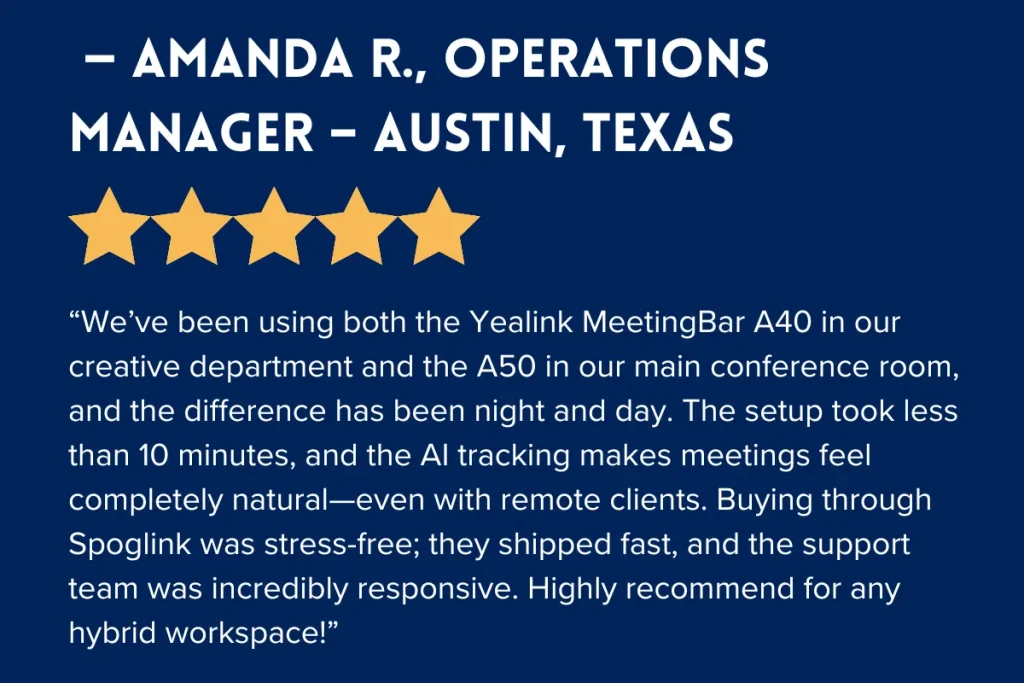
Customer Review
Final Point Of View:
When it comes to the comparison of Yealink MeetingBar A50 vs A40, it’s really about your meeting space needs.
If you have a growing business that needs plug-and-play clarity for medium rooms, the A40 is your go-to choice. But if you’re running large-scale meetings or executive conferences, the A50 gives you more power and precision you need for your business.
Either way, Yealink delivers top-tier collaboration, with Spoglink as your go-to online electronic store destination for all things video conferencing.
FAQS
1. Can the Yealink MeetingBar A40 or A50 integrate with existing AV equipment?
Yes, both bars can integrate with compatible displays, microphones, and Yealink accessories like the CTP18 touch panel and WPP30 presentation pod. However, they are also powerful enough to function independently, reducing your dependency on external AV systems.
2. Do Yealink MeetingBars require IT expertise for installation?
Not at all. Both A40 and A50 feature a true plug-and-play design with automatic configuration options. Even non-technical users can set them up in minutes, making them ideal for small businesses and organizations without dedicated IT staff.
3. How does Yealink ensure data privacy and call security during meetings?
Yealink’s MeetingBars come with enterprise-grade encryption and security protocols that safeguard your video and audio data on Microsoft Teams and Zoom platforms. This ensures every call stays private and compliant with corporate security standards.
4. Can I control Yealink MeetingBars remotely?
Yes. Through Yealink’s Device Management Platform or the Yealink RoomConnect app, admins can monitor, update, and control multiple units remotely—saving time and simplifying large-scale deployments across offices.
5. Are software or firmware updates available automatically?
Yes, Yealink regularly releases firmware updates that can be installed directly through the cloud or local network. This ensures your device always benefits from the latest AI, camera, and audio enhancements without downtime.
6. Which accessories enhance the performance of A40 and A50 the most?
Adding Yealink’s WPP30 wireless presentation pod enables one-click content sharing, and the CTP18 touch panel provides a more interactive meeting control experience—perfect for managing calls, whiteboards, and layouts directly on-screen.


